Epic time rollups
Give project managers a clear Jira epic time rollup with original estimate, logged time, variance, and the child issues behind the total.
View Jira epic time rollupsBacklog Bridge builds apps for Jira time tracking reports, worklog rollups, Pipedrive deal sync, Nextcloud file linking, and readable Mermaid diagrams in Confluence.
Built for Atlassian teams · Product-specific pricing and availability

Atlassian apps built to make Jira and Confluence teams faster, more accurate, and less stressed.

Time Tracking, Reports & Worklogs
TimePillar fixes this. It adds a live rollup panel to the Jira issue sidebar, aggregating original estimates and logged time from every child Story and Sub-task — instantly visible at Epic and Project level. Export any rollup summary to PDF or CSV for stakeholder reports, client updates, or sprint reviews.

Pipedrive ↔ Jira Two-Way Sync
Stop losing context between your sales and delivery teams. When a Pipedrive deal is won — or reaches a key pipeline stage — a Jira issue is created automatically with full deal context. Live deal panel in every issue, Jira status logged back to Pipedrive, and deal updates posted as Jira comments.

Source-first Mermaid diagrams
Read, edit, inspect, search, and export Mermaid diagrams inside Confluence. Diagram Lens adds live preview, wide view, minimap navigation, search, and browser-side export tools without requiring an external diagram account.

Nextcloud ↔ Jira file linking
Nextcloud for Jira connects your Jira Cloud site to any Nextcloud instance over HTTPS. Admins configure a secure connection, teams link folders to issues, browse files in the Nextcloud files panel, and open assets in Nextcloud.
Backlog Bridge products focus on reporting, handoff, and documentation workflows that repeatedly pull teams out of Jira or Confluence.
Give project managers a clear Jira epic time rollup with original estimate, logged time, variance, and the child issues behind the total.
View Jira epic time rollupsBring estimate-versus-actual reporting closer to sprint reviews so delivery leads can explain overruns before the next planning cycle.
Explore sprint budget reportsExport Jira worklog reports to PDF or CSV when stakeholders need a shareable report instead of a live Jira screen.
See Jira worklog reportsSync Pipedrive deals with Jira so delivery work starts with deal value, contact, status, and sales notes already attached.
View Pipedrive Jira integrationRead, edit, search, and export Mermaid diagrams in Confluence when process maps and architecture diagrams become too wide for the page.
View Diagram LensConnect Jira to Nextcloud, link issue folders, browse files from the Nextcloud files panel on each issue, and open assets in Nextcloud without leaving delivery context.
View Nextcloud for JiraOur Atlassian apps fit into existing Jira and Confluence workflows, reduce manual reporting, and keep project context close to the work your teams already manage.

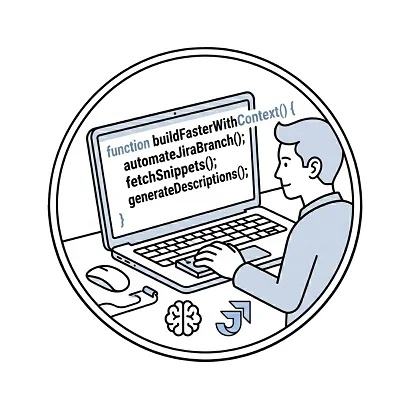
Spend less time on Jira admin. Auto-link commits, keep tickets updated automatically, and stay in flow without constant context switching.
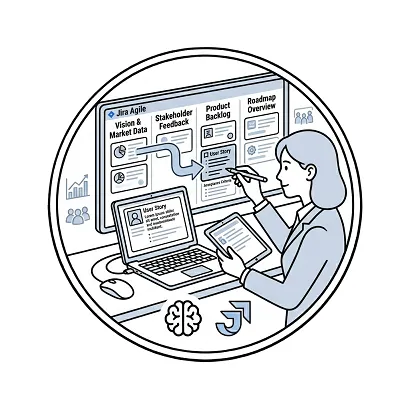
Create well-structured user stories and acceptance criteria in seconds. Keep your backlog clean, prioritized, and always sprint-ready.

Link design assets directly to Jira tickets. Keep stakeholders aligned and dramatically reduce back-and-forth with development teams.

Get instant sprint health summaries, team velocity insights, and delivery forecasts — without sifting through hundreds of sub-tasks.
Built for Atlassian teams. Backlog Bridge apps are designed to work inside Jira and Confluence workflows and avoid unnecessary data movement where the product does not need it.
Backlog Bridge products are designed around Jira and Confluence workflows, issue context, documentation context, and the questions delivery teams already handle inside Atlassian tools.
Product copy is specific about data behavior. TimePillar reads native Jira fields, Diagram Lens stores app-owned diagram configuration in Forge storage, and integration products fetch or sync external data only for the configured workflow.
Product pages point teams to the relevant Atlassian Marketplace install path or contact route, with support handled by Backlog Bridge.
Answers to common questions about Backlog Bridge apps, Marketplace availability, product pricing, and data handling.
Backlog Bridge builds focused Atlassian apps for delivery teams, including TimePillar for Jira time tracking reports, Pipedrive Integration for Jira for sales-to-delivery handoff automation, Diagram Lens for Mermaid diagrams in Confluence, and Nextcloud for Jira for browsing issue-linked files from Nextcloud.
Backlog Bridge product pages link to the relevant Atlassian Marketplace install path for each app. All apps are completely free with no user limits.
Yes. All Backlog Bridge apps are completely free on the Atlassian Marketplace with no user limits.
Project managers, delivery leads, developers, documentation owners, and sales-to-delivery teams benefit most when reporting, handoff, or diagram review work currently depends on manual exports, copy-paste, or separate tools.
Data behavior is product-specific. TimePillar product materials state that it reads native Jira time-tracking fields and does not use a separate data store. Diagram Lens stores app-owned diagram configuration in Forge hosted storage using storage:app. Review each product page and privacy policy for exact details.
Hear from developers, product owners, and leaders who made their Jira work faster, cleaner, and more productive.
We installed the plugin on a Friday afternoon and by Monday morning the team was already noticing the difference. Ticket updates that used to take 20 minutes now happen automatically. I'd conservatively estimate we're saving 4-5 hours per developer per week just on Jira admin alone.
I used to spend half my Mondays grooming the backlog. Now it practically grooms itself. User stories come out properly structured, acceptance criteria are clear, and the team actually understands tickets before they pick them up. Sprint planning went from 2 hours to 45 minutes.
Linking design assets directly to Jira tickets has eliminated so much back-and-forth. Developers know exactly what to build, QA knows exactly what to test. We've cut revision cycles by at least 40% since rolling this out across the team.
We've tried a lot of Jira add-ons over the years. Most of them add complexity without real gains. This one is different — it genuinely reduces friction. My team stops complaining about Jira admin and actually uses the board properly now. The ROI was obvious within the first sprint.
The workflow guardrails are a game changer for our QA process. Tickets can't move forward without the right fields filled in — no more discovering missing acceptance criteria mid-sprint. We've reduced the number of bugs that reach production because issues are caught and clarified much earlier in the process.
I used to need three status meetings a week just to understand where we stood. Now I open the dashboard and everything is right there — sprint health, velocity, blockers. My team spends less time reporting and more time delivering. It's transformed how leadership and engineering stay aligned.
Help us improve these guides
With your permission, Google Analytics uses cookies to measure article visits, reading engagement, downloads and product-link clicks. You can change your choice anytime. Website privacy